Agent Package Manager for AI Azure Engineering

AI coding tools are getting better quickly. The setup around them is still too often a pile of local files, copied prompts, one-off MCP servers, and tribal knowledge.
One developer has custom GitHub Copilot instructions. Another has Claude agents. Someone else has Cursor rules. The platform team wants approved Azure patterns, Microsoft Learn grounding, cost guidance, security checks, and repeatable onboarding.
Six months later, the audit question is simple and uncomfortable:
What agent context was installed, where did it come from, and who allowed it?
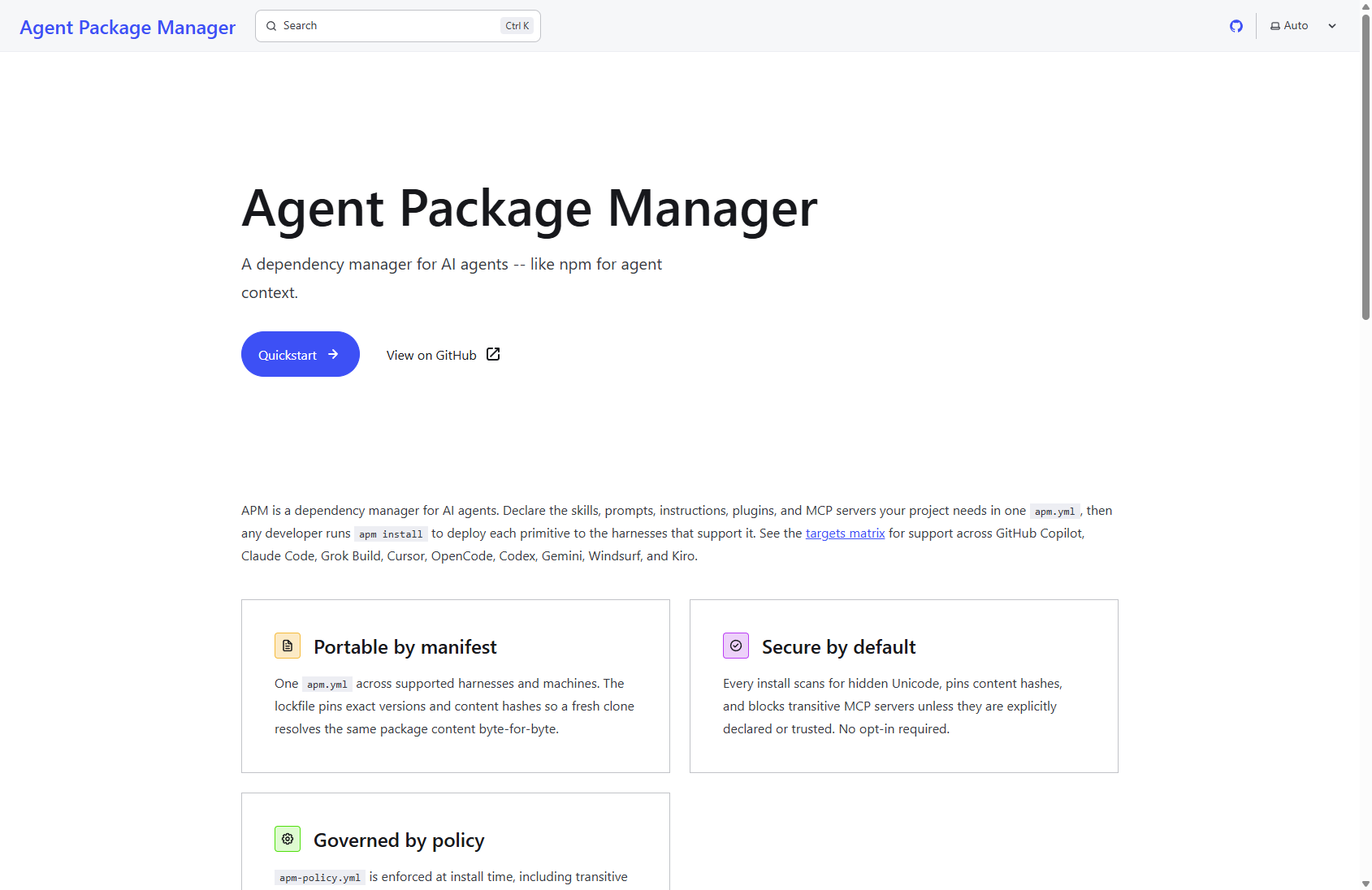
Agent Package Manager, or APM, addresses that gap.
APM is a dependency manager for AI agents. The official project describes the core model as declaring the skills, prompts, instructions, plugins, and MCP servers a project needs in one apm.yml, then running apm install to deploy the supported primitives to each agent harness. It also positions the lockfile as the reproducibility artifact, with exact versions and content hashes, and apm-policy.yml as the install-time governance control for dependencies, MCP servers, and targets.
Agent configuration needs this kind of mundane, reviewable plumbing.
Why this matters for Azure teams
Azure engineering work rarely happens in one tool.
A realistic cloud engineering repo might use:
- GitHub Copilot for day-to-day implementation.
- Claude Code for deep repo work.
- Cursor or OpenCode for local workflows.
- Microsoft Learn MCP for current Azure documentation.
- Azure MCP for cloud resource inspection and operations.
- Foundry MCP for Microsoft Foundry work.
- Context7 for current SDK and framework documentation.
- Team-specific skills for Azure Kubernetes Service, App Service, Azure Functions, Azure API Management, identity, monitoring, reliability, and cost.
In my own Coding repo, the APM manifest now declares the active agent targets explicitly:
targets:
  - copilot
  - claude
  - cursor
  - opencode
It also declares local primitives and reusable agent-skill packages:
dependencies:
  apm:
    - DietrichGebert/ponytail
    - microsoft/skills/.github/plugins/azure-sdk-python
    - microsoft/skills/.github/plugins/azure-sdk-dotnet
    - microsoft/skills/.github/plugins/azure-sdk-typescript
    - microsoft/skills/.github/plugins/azure-sdk-rust
    - microsoft/skills/.github/plugins/microsoft-foundry
    - "microsoft/hve-core#c7ee5b9642ab1877a6b5ce5336ebc448b89b2708"
    - dotnet/skills
The workflow is familiar: declare dependencies, lock the result, and validate it.
MCP servers are dependencies too
The part I like most is that MCP servers sit in the same dependency story.
That matters because MCP is a tool boundary. If an agent gets access to a server, it gets access to whatever that server exposes. For Azure work, that is powerful and useful, but it should never be invisible.
The repo manifest declares the MCP surface. These are representative entries; the complete manifest is linked in the references.
dependencies:
  mcp:
    - name: microsoft.learn.mcp
      registry: false
      transport: http
      url: https://learn.microsoft.com/api/mcp
    - name: context7
      registry: false
      transport: http
      url: https://mcp.context7.com/mcp
    - name: azure
      registry: false
      transport: stdio
      command: npx
      args:
        - -y
        - '@azure/mcp@latest'
        - server
        - start
This moves MCP from “whatever is configured on my machine” into the repo contract.
The manifest declares the active targets and approved MCP servers:

Governance without ceremony
I would not start with a giant enterprise policy.
The smallest useful version is an allowlist:
name: Hypervelocity APM baseline
version: 1.0.0
enforcement: block

dependencies:
  allow:
    - DietrichGebert/ponytail
    - dotnet/skills
    - microsoft/hve-core
    - microsoft/skills/**

mcp:
  allow:
    - azure
    - context7
    - foundry-mcp
    - iseplaybook
    - microsoft.learn.mcp
    - microsoft-docs
    - microsoft.mrc.mcp
  transport:
    allow:
      - http
      - sse
      - stdio
  self_defined: allow

compilation:
  target:
    allow:
      - claude
      - copilot
      - cursor
      - opencode
The policy allowlists dependency sources, MCP servers and transports, agent targets, and required manifest metadata. It is install-time governance, not a runtime sandbox: it enforces declarations before files are written, while runtime behaviour remains with the agent harness and exposed tools.
From one repository to an organisation
The interesting part of APM is not just what happens in one repository.
It is what happens when ten, fifty, or five hundred repositories need the same agent engineering baseline.
An organisation might have separate platform, data, security, application, and AI engineering teams. They should not all have to independently discover the same skills, MCP servers, policies, and agent configuration.
The model can instead be layered:
                         GitHub Organisation
                                │
                       Organisation policy
                                │
                ┌───────────────┼───────────────┐
                │               │               │
             Platform          Data          Security
               team            team             team
                │               │               │
          shared skills    shared skills    shared skills
                │               │               │
                └───────────────┼───────────────┘
                                │
                         Team repositories
                                │
                    ┌───────────┼───────────┐
                    │           │           │
                  Repo A      Repo B      Repo C
                    │           │           │
                  apm.yml     apm.yml     apm.yml
                    │           │           │
                    └───────────┼───────────┘
                                │
                               APM
                                │
                       Agent-specific output
The important distinction is that teams do not need identical agent configurations.
They need a common starting point.
A platform team might provide Azure architecture, AKS, networking, monitoring, reliability, and cost guidance. A security team might provide security and identity guidance. An AI engineering team might provide Foundry and Agent Framework skills.
Individual application teams can then add their own domain-specific context.
That gives the organisation a useful division of responsibility:
Organisation
    │
    └── What is allowed and required?

Team
    │
    └── What capabilities does this team need?

Repository
    │
    └── What does this workload specifically require?

APM
    │
    └── Resolve, lock, install, and audit the result.
This is where APM starts to look less like a developer convenience and more like an organisational distribution mechanism for agent context.
GitHub makes this practical
For organisations using GitHub, APM can work alongside the existing repository and organisation model rather than creating another management hierarchy.
The organisation can maintain an APM policy in its GitHub organisation configuration. APM can discover that organisation-level policy from the repository's Git remote, allowing the same baseline to apply across participating repositories.
For example, the organisation could establish rules around:
- approved package sources
- approved MCP servers
- approved transports
- allowed agent targets
- required packages
- required manifest metadata
Teams still maintain their own apm.yml.
That means the platform team does not need to edit every application repository whenever the organisational policy changes.
The relationship is closer to:
GitHub Organisation
        │
        ├── Organisation APM policy
        │
        ├── Platform packages
        │
        └── Team repositories
                 │
                 ├── apm.yml
                 ├── apm.lock.yaml
                 └── application code
GitHub then provides the repository governance around that model.
Organisation rulesets can target multiple repositories and can require workflows or status checks before changes are merged. This provides a natural enforcement point for an APM audit workflow.
The result could look like:
Pull Request
     │
     ▼
GitHub Actions
     │
     ├── apm audit --ci
     │
     ├── dependency checks
     │
     └── other engineering validation
     │
     ▼
GitHub Ruleset
     │
     ▼
Required checks pass
     │
     ▼
Merge
This is important because APM policy is an install-time and CI governance mechanism, not a replacement for runtime security or agent sandboxing. Runtime permissions still belong to the agent harness and the underlying platform. APM policy documentation
The platform team becomes a paved road
This changes the role of a central platform team.
It does not need to become the team that configures every developer's agent.
Instead, it can provide a supported baseline.
For example:
HVE Azure Engineering Baseline

├── Azure architecture
├── Azure Well-Architected
├── AKS
├── App Service
├── Functions
├── API Management
├── Container Apps
├── Identity
├── Monitoring
├── Reliability
├── Cost
└── Approved MCP servers
An application team might then consume that baseline and add:
Application Team

├── HVE Azure Engineering Baseline
├── Payments domain skills
├── Application-specific instructions
└── Workload-specific MCP dependencies
Another team might consume the same baseline but add:
Data Team

├── HVE Azure Engineering Baseline
├── Fabric skills
├── Data engineering guidance
└── Data-specific MCP dependencies
The organisation gets consistency without requiring every team to become identical.
Scaling the rollout
I would also avoid trying to deploy this everywhere on day one.
The rollout can be incremental:
Pilot
  │
  ▼
One platform team
  │
  ▼
Several application teams
  │
  ▼
Organisation baseline
  │
  ▼
Required CI checks
  │
  ▼
Fleet-wide adoption
Start with a small set of capabilities that the platform team can actually support.
Pin reviewed versions.
Run APM audits in CI.
Use GitHub rulesets to make the checks required where appropriate.
Then expand the baseline as the organisation gains confidence.
That is a much more realistic approach than attempting to define every possible agent policy before anyone has used it.
The goal is not to centrally control every prompt an engineer writes.
The goal is to make the supported path easier than building an agent environment from scratch.
Lockfiles give you the forensic answer
The lockfile is where APM starts to feel familiar.
In this repo, apm.lock.yaml records the CLI version, generation time, resolved commits, deployed files, and content hashes. For example:
lockfile_version: '1'
generated_at: '2026-08-30T20:20:30.928873+00:00'
apm_version: 0.20.0
dependencies:
- repo_url: DietrichGebert/ponytail
  host: github.com
  resolved_commit: 2ed6c52c9d7e5e56942508591085fd45dea277d3
  package_type: marketplace_plugin
  content_hash: sha256:595855eee726cb344087c38d7a3c29586ce8a0dd9a2e7ad8e8eedc91c8d8c575
- repo_url: dotnet/skills
  host: github.com
  resolved_commit: d68dd70857076a17d4b418649bbcd20a315d59c3
  package_type: marketplace_plugin
  content_hash: sha256:34013ed32b6592ccd762f59215480fa5df94b82d0443b7f5288291ac786978e8
That answers “what was active?” more reliably than a screenshot of local settings.
The lockfile records resolved commits and content hashes for review:

Evidence from the repo
I validated the current setup with APM CLI 0.20.0.
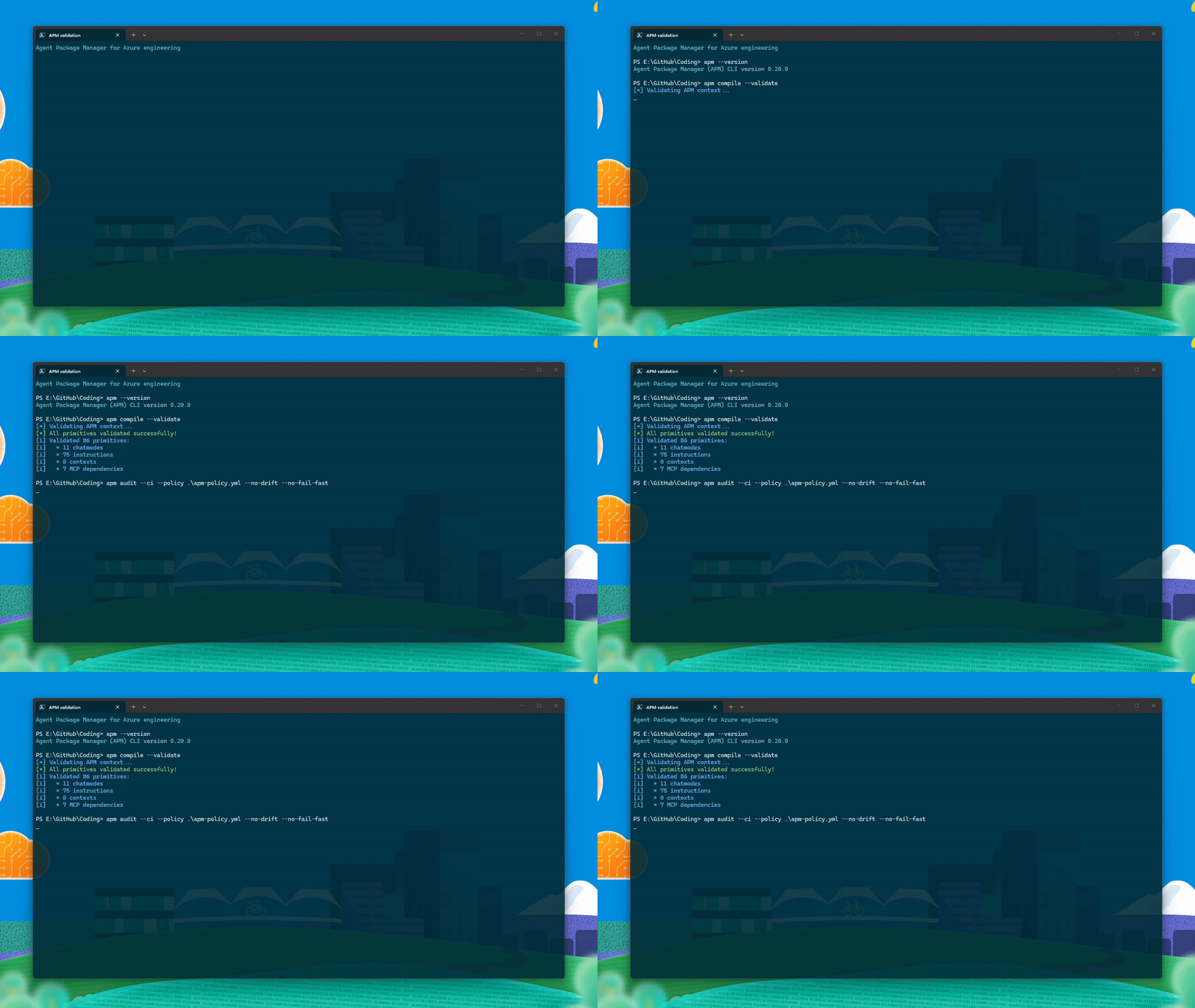
The useful result:
[*] All primitives validated successfully!
[i] Validated 86 primitives:
[i]   * 11 chatmodes
[i]   * 75 instructions
[i]   * 0 contexts
[i]   * 7 MCP dependencies

[*] All 27 check(s) passed
The command used:
apm --version
apm compile --validate
apm audit --ci --policy .\apm-policy.yml --no-drift --no-fail-fast
The --no-drift flag is worth calling out. I used it because this working tree has generated-output drift unrelated to the policy example. That means the evidence proves manifest, lockfile, MCP config, and policy compliance. It does not claim the generated deployed files are fully drift-clean.
That distinction is important. APM can be used in stages:
- Get the manifest right.
- Generate and commit the lockfile.
- Add a small policy.
- Pass policy checks in CI.
- Tighten drift enforcement once generated files are clean and reproducible.
This staged rollout avoids making a giant governance programme a prerequisite.
What HVE Core is
Hypervelocity Engineering (HVE) Core is Microsoft's open-source library of agentic SDLC workflow building blocks for GitHub Copilot. It brings together specialised agents for research, planning, implementation, and review; reusable prompts; coding instructions; and skills.
The value is not a magic workflow. It is a consistent set of starting points that teams can review, adapt, and use repeatedly. HVE Core is explicitly opinionated and rapidly evolving, so treat it as a source of patterns to evaluate rather than an unexamined platform dependency.
It also makes HVE Core a useful APM example. Instead of copying external skills, agents, prompts, and instructions into a repo, APM declares the upstream package, applies the same policy controls, and locks the exact content alongside the team's local context.
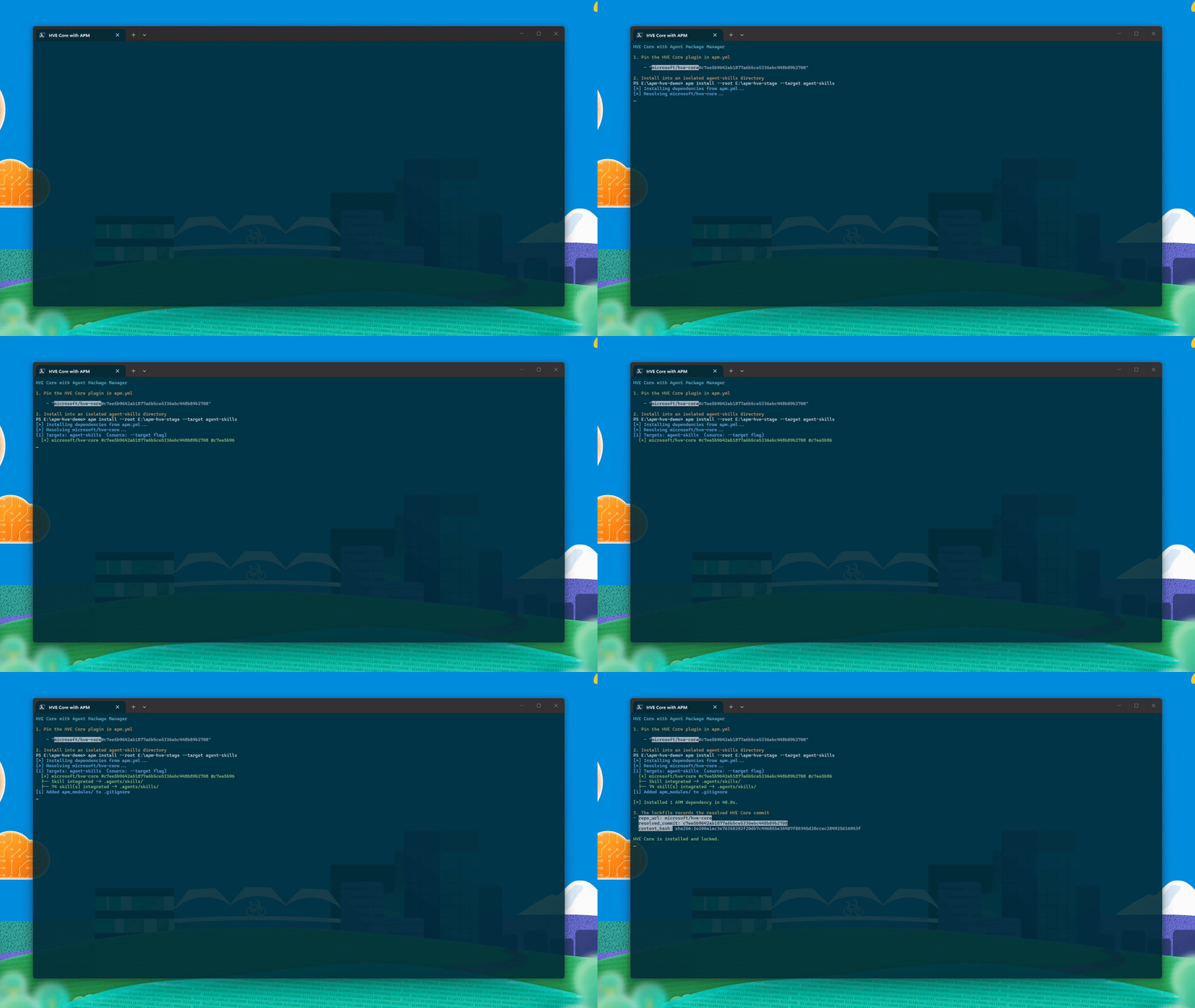
The following is a complete example for someone new to HVE Core: declare the exact source, allow it in policy, install it, and commit the resulting lockfile. The installed content lands in the shared .agents/skills directory, which supported agent harnesses can use.
The quoted reference is deliberate: YAML would otherwise treat # and the commit as a comment.
dependencies:
  apm:
    - "microsoft/hve-core#c7ee5b9642ab1877a6b5ce5336ebc448b89b2708"
dependencies:
  allow:
    - microsoft/hve-core
apm install --target agent-skills
apm audit --ci --policy .\apm-policy.yml
This recorded run uses that setup in an isolated agent-skills target. APM resolves the exact commit, integrates 74 HVE Core skills, and records the commit and content hash in its lockfile:
For a team rollout, start with the subset you can support. Pin a reviewed revision, assess the agents and skills you select, and update deliberately.
For an Azure platform team, I would keep the first implementation small:
apm init
apm install
apm lock
apm audit --ci --policy .\apm-policy.yml
Then add a required CI check:
- uses: actions/checkout@v4
- uses: microsoft/apm-action@v1
- run: apm audit --ci --no-cache
The central platform package would carry approved guidance:
- Azure Well-Architected review prompts.
- AKS architecture and production-readiness skills.
- Azure Functions, App Service, APIM, Container Apps, and IaC skills.
- Azure AI Foundry and Agent Framework skills.
- Security, identity, monitoring, reliability, and cost instructions.
Application repos would keep local context for their own architecture and domain.
The policy should stay focused on the supply-chain boundary:
- allowed package sources
- allowed MCP servers
- allowed transports
- allowed targets
- required manifest fields
Do not encode every engineering preference in policy. That belongs in reviewed skills, instructions, and architecture guidance.
APM does not replace Azure Policy, Defender for Cloud, Entra ID, workload identity, network controls, human review, or runtime permission models. It is package management and CI governance for agent context.
The practical caveat
The ecosystem is still young.
In my setup, apm lock --parallel-downloads 0 was the reliable path for generating the lockfile. A full install also surfaced useful rough edges: generated hook path drift, target-specific hook naming warnings, and checkout friction in one package on Windows.
I consider that useful signal, not a reason to ignore the model.
The lesson is the same as every other package ecosystem:
- pin what you can
- audit what you install
- keep generated outputs boring
- fix drift before making drift checks mandatory
The practical takeaway
Skills that guide AKS deployment, APIM configuration, Application Insights instrumentation, or Microsoft Foundry work should be versioned and reviewable. MCP servers exposing Azure operations should be declared and explicitly allowed. APM provides the manifest, lockfile, and policy checks for that work.